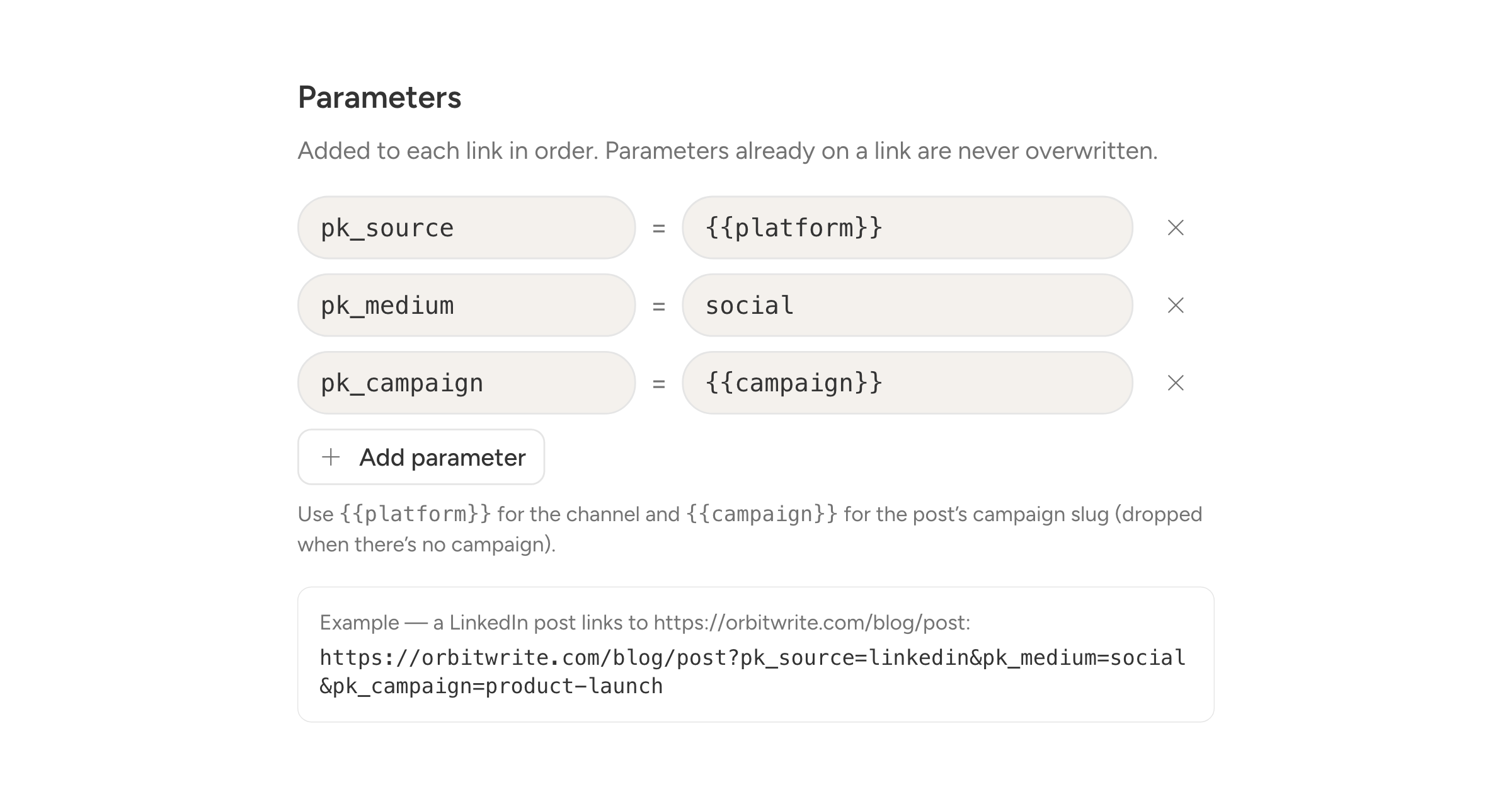
You can now have Orbitwrite add tracking parameters to the links in a post when it publishes.
Turn it on under Settings, Link tracking. You get a list of parameters to send, starting with pk_source, pk_medium, and pk_campaign, and you can change them to whatever your analytics tool expects.
Two placeholders do the work for you. {{platform}} fills in the network the post went to, and {{campaign}} fills in the campaign it belongs to. A post with no campaign simply drops that parameter rather than sending an empty one.
If you only want to tag your own links, list the domains to tag. Anything else is left as you wrote it. An example under the form shows you a real tagged URL as you edit.
Per channel
Each connected channel can follow the workspace settings, turn tracking off entirely, or use its own parameters.
What it does not touch
Drafts keep the link you typed. Parameters are added at publish time only, so reopening a draft never shows a rewritten URL, and a retry cannot add them twice. A link that already carries one of your parameters is left alone.