Your public page has looked the same for everyone since it launched. Now it does not have to.
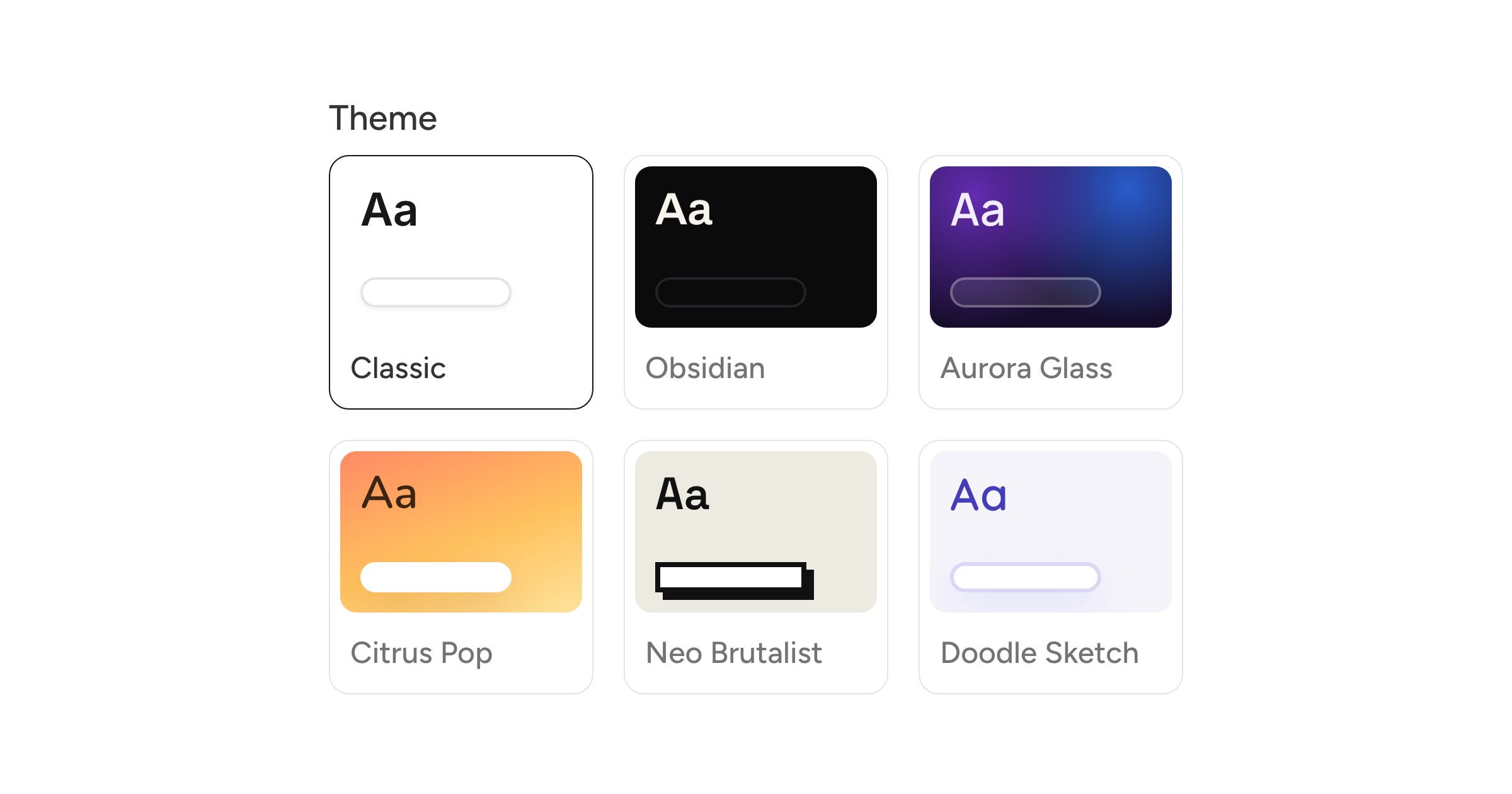
Pick a theme under Settings, on the Public page tab. There are six:
- Classic, the clean white card you already have
- Obsidian, dark and minimal with a gold accent
- Aurora Glass, frosted panels on a gradient
- Citrus Pop, a warm gradient with rounded pills
- Neo Brutalist, hard edges and drop shadows
- Doodle Sketch, playful pastels and soft pills
Each one changes the background, the typeface, and the shape of the link buttons. Your logo, bio, channels, and custom links stay exactly as you arranged them, so switching theme is a one click decision you can undo just as fast.
The swatches show the background, a letterform in the theme's font, and its button style, so you can narrow it down before committing. The phone preview next to the form renders the real thing, using the same stylesheet the live page does, and the choice saves with the rest of your profile fields.