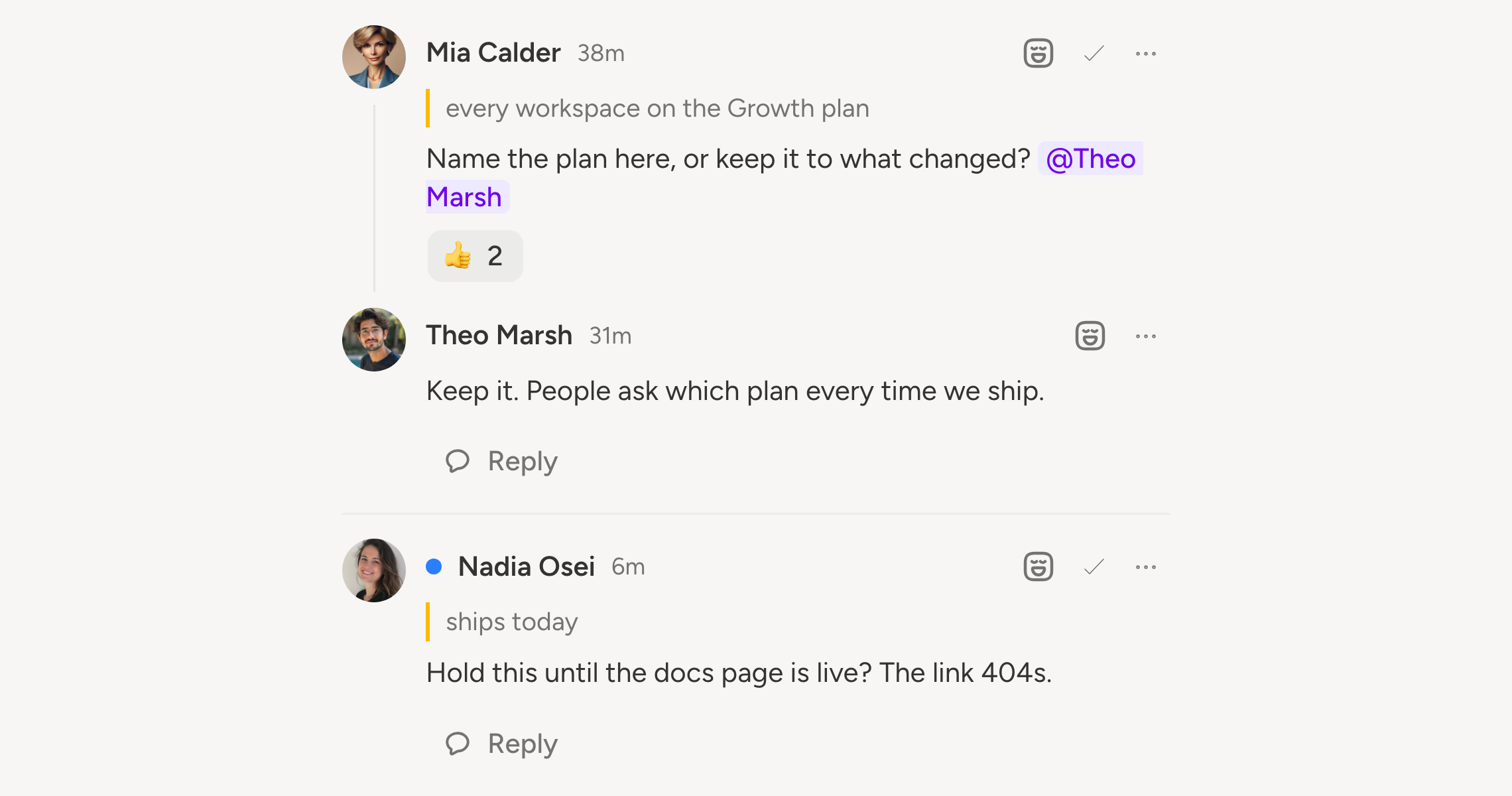
Drafts used to get reviewed in Slack, or in a doc, or not at all. Now the feedback lives on the post.
Open the Comments panel in the composer and leave a note. Highlight some text first and the comment anchors to it, so everyone knows which line you mean.
What you can do
- Reply to build a thread
- Mention a teammate to pull them in
- React with an emoji when a reply is enough
- Resolve a thread once it is handled
- Edit or delete your own comments
Unread threads are marked per person, so a busy draft does not look identical to everyone. You can mark one thread read, or all of them.
Keeping it manageable
Filter the panel by status, by person, or by type. Resolved threads are hidden by default. Mute a single thread if it stops being your problem, or unsubscribe from the whole post.
Comments follow your accounts. A comment made while accounts are synced applies to all of them. On an unsynced account it stays with that account's text.