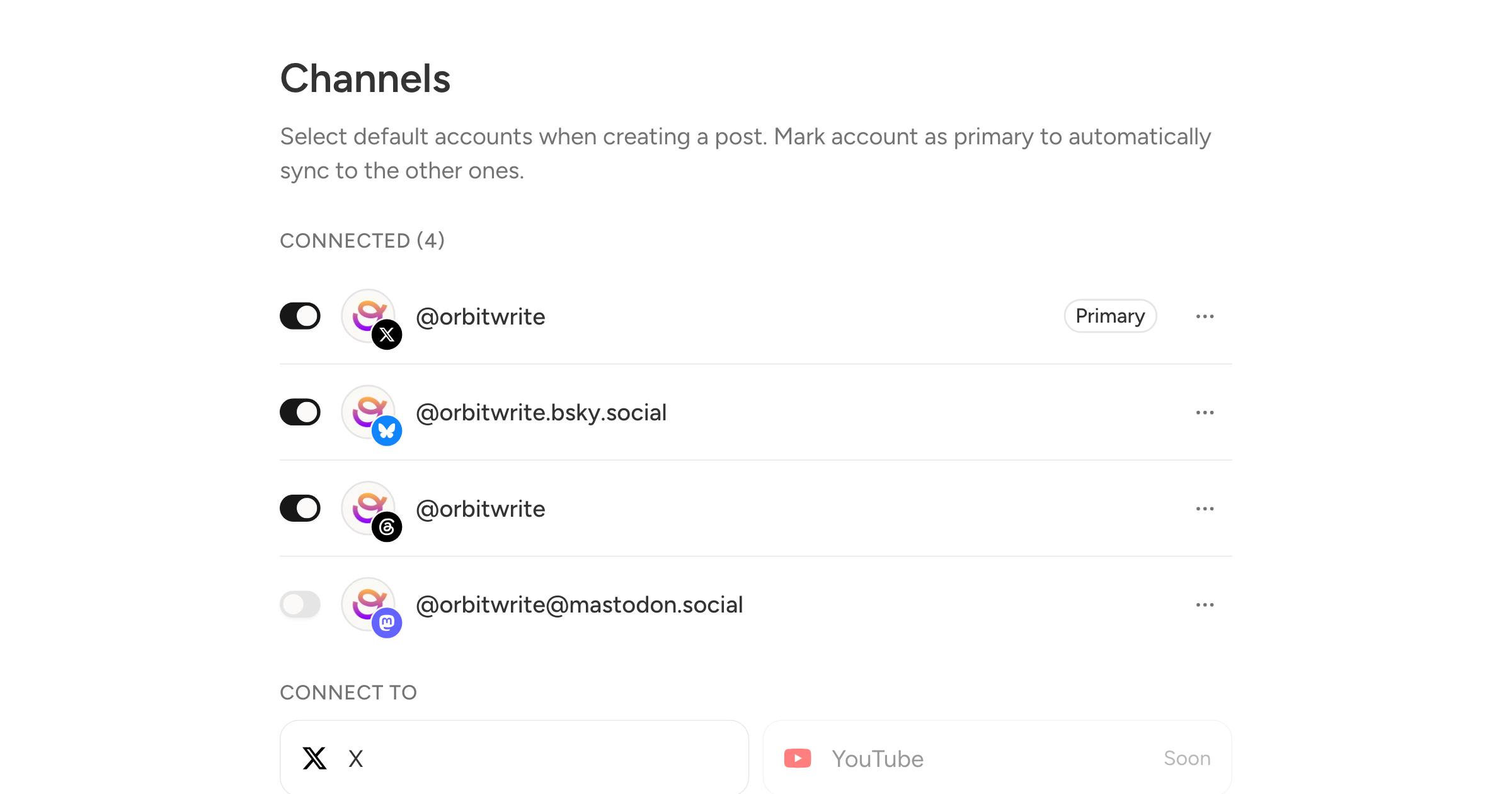
Two settings under Settings, Channels that decide what the composer looks like before you type anything.
Primary
Open the menu on a channel and pick Make primary. It moves to the top of the list and keeps a Primary badge.
The primary is the one you actually write for. What you put on it syncs to the other selected channels as you type, so writing the same post everywhere, trimmed to fit each network, is one pass rather than five. Editing one of the others breaks it off the primary and leaves it alone after that.
With a single connected channel there is nothing to choose: it is the primary.
On and off
Every channel now has a switch next to it. On means the channel is selected when you open a fresh composer. Off means it stays connected, keeps its posting schedule, and simply isn't added to a new post. You pick it deliberately when you want it.
That covers the account you post to once a month, and the ones a client only wants scheduled work on. Nothing is disconnected, and nothing changes on posts you have already written.
Turning off the primary channel doesn't strand the rest. Deselect it inside a post and the first channel still selected takes over as the one the others sync from, for that post only.