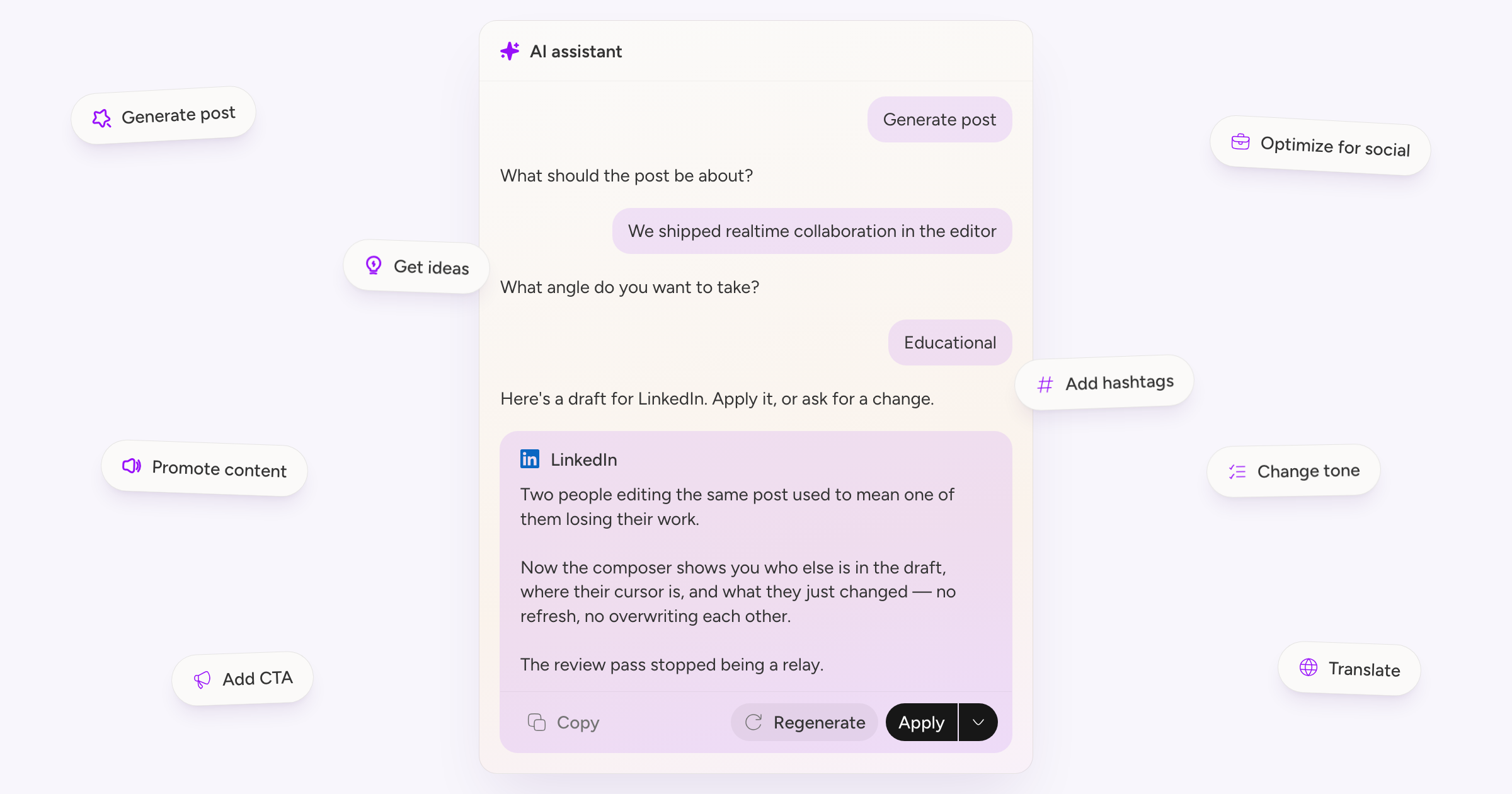
The AI panel in the composer used to be a set of buttons. It is now a chat, and it remembers what you asked for.
Starting from nothing
With an empty post you can generate one from a topic, ask for ideas, or paste a URL and have it promote that. Give it a topic and you can add an angle: educational, story, promotional, or engagement.
Starting from a draft
With something written you get rewrite, optimise for social, change tone, translate, add a call to action, and add hashtags. Tone and language are picked from a list rather than typed, so you are not guessing at what it understands.
Type / in the box at the bottom to reach any of these directly.
Working on what it gives you
Each draft arrives as a card you can copy, regenerate, or apply. The arrow next to Apply opens a second round of refinements: punchier, shorter, longer, better structure, and a few more. You can also just describe the change you want in your own words.
One post, several networks
If you have accounts with different limits selected, the assistant writes a version for each group rather than one draft squeezed into the smallest one. A LinkedIn post and a Bluesky thread come out as separate cards.
Apply one and it offers to reformat the rest for you.