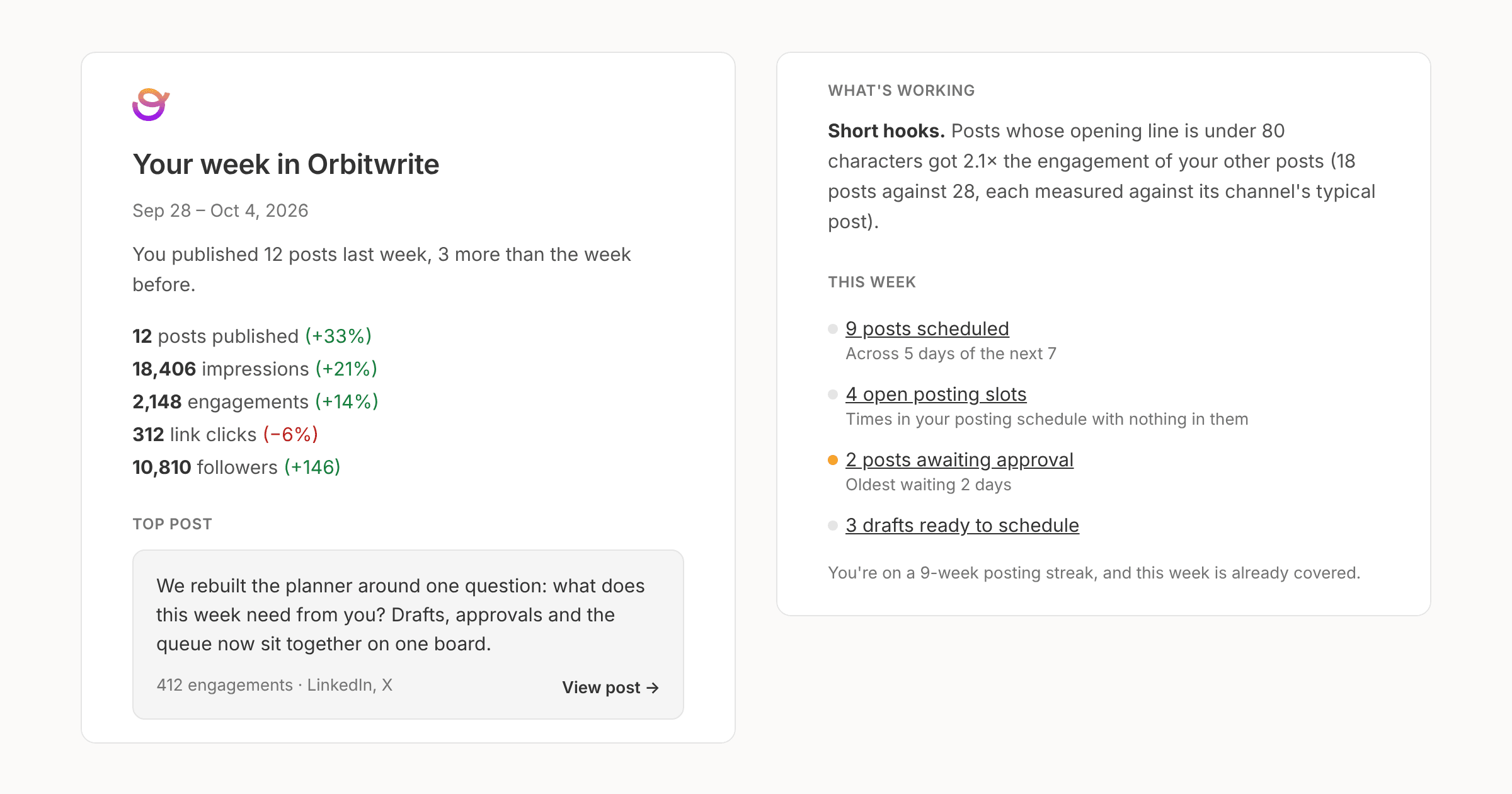
Every Monday from 8am in your workspace's timezone, owners, admins and managers get an email covering the week before.
It opens with how many posts you published and how that compares with the week before, then shows the change in impressions, engagements, link clicks and followers. You also get last week's top post, one pattern from What works, and your posting streak.
The second half is the week ahead: scheduled posts, open slots, posts waiting on approval, posts with changes requested, anything that failed, and drafts ready to schedule.
A workspace on a paid plan or trial always gets one. Any other workspace gets one when it published something in the last two weeks, so a quiet workspace doesn't get a stream of empty emails.
Turn it off under Settings, Notifications, Weekly digest, or with the unsubscribe link in the email. The same numbers are in the API and the MCP server as the weekly digest.