Post analytics used to live on each post. Now there's an Analytics page that puts every channel together, so you can see how the last month went and what to post more of.
What's on the page
- Orb's analysis, a short read of the last 28 days, written once a day.
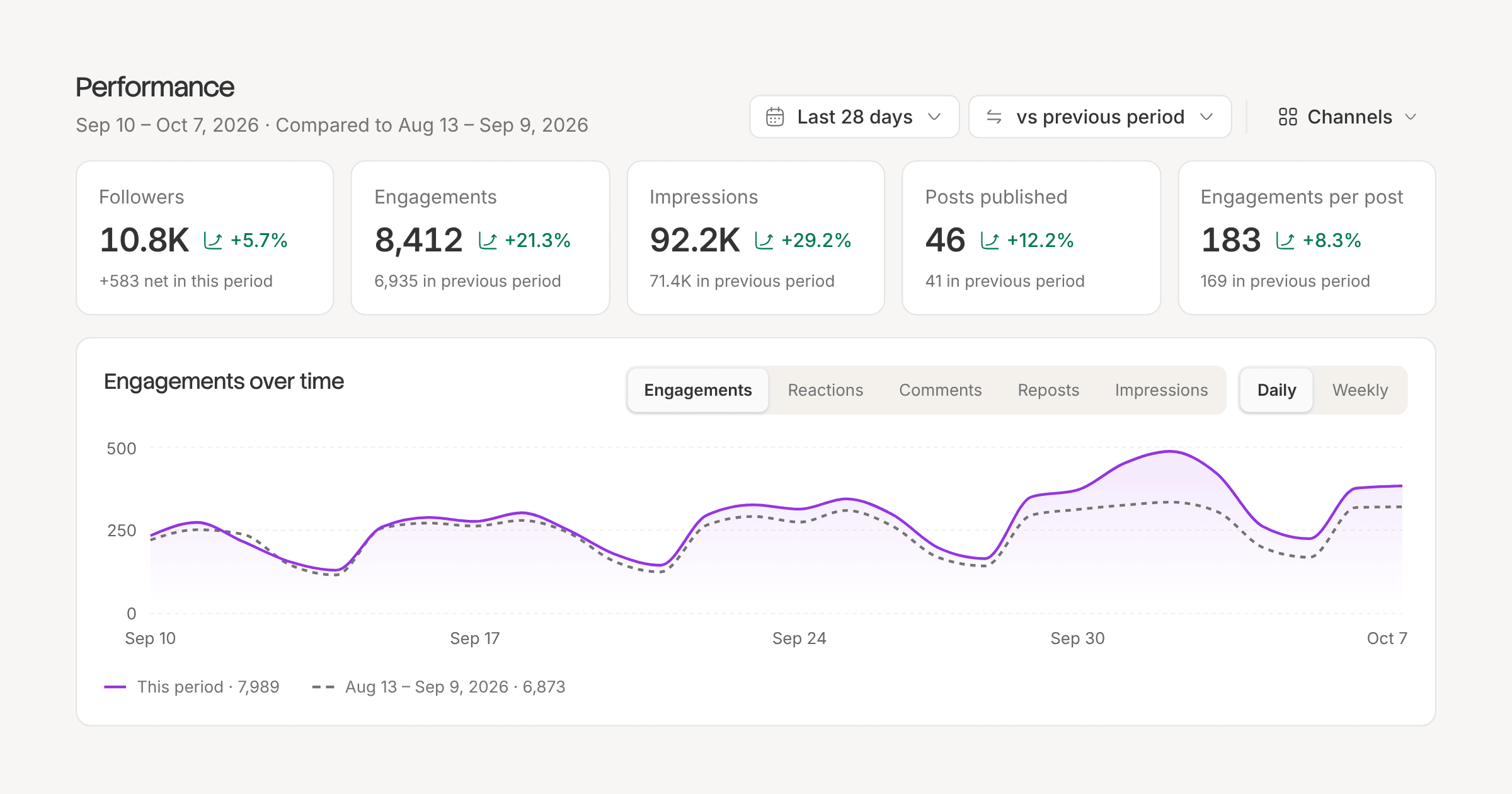
- Totals for followers, engagements, impressions, posts published and engagements per post, each with its change on the period before.
- A chart of engagement over time, daily or weekly, and your followers gained per channel.
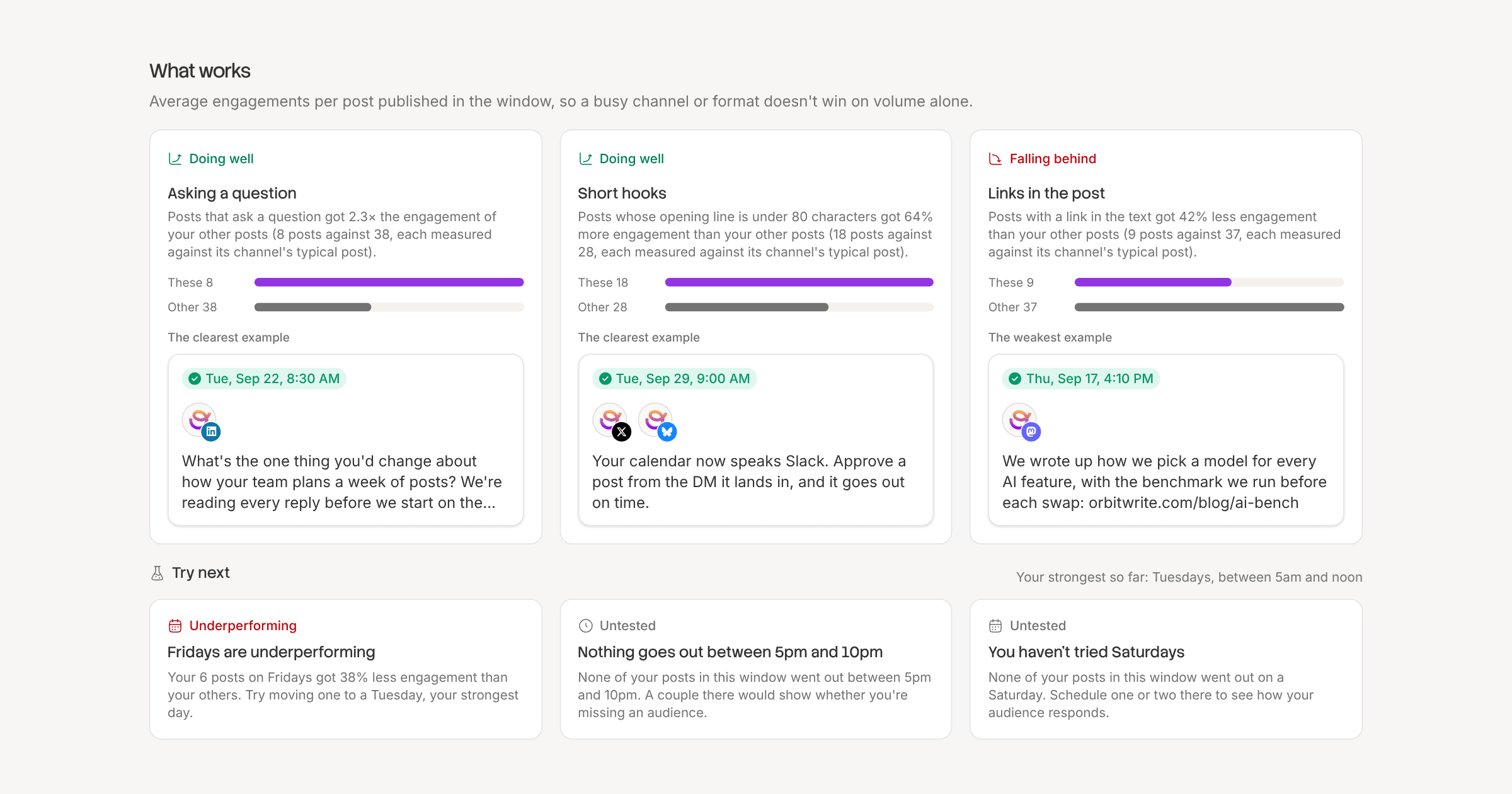
- What works, which picks out the patterns in your strongest posts: format, length, opening line, weekday, time of day, links, hashtags, questions, tone and tags. Each post is judged against its own channel's usual numbers, so one big account can't skew the answer.
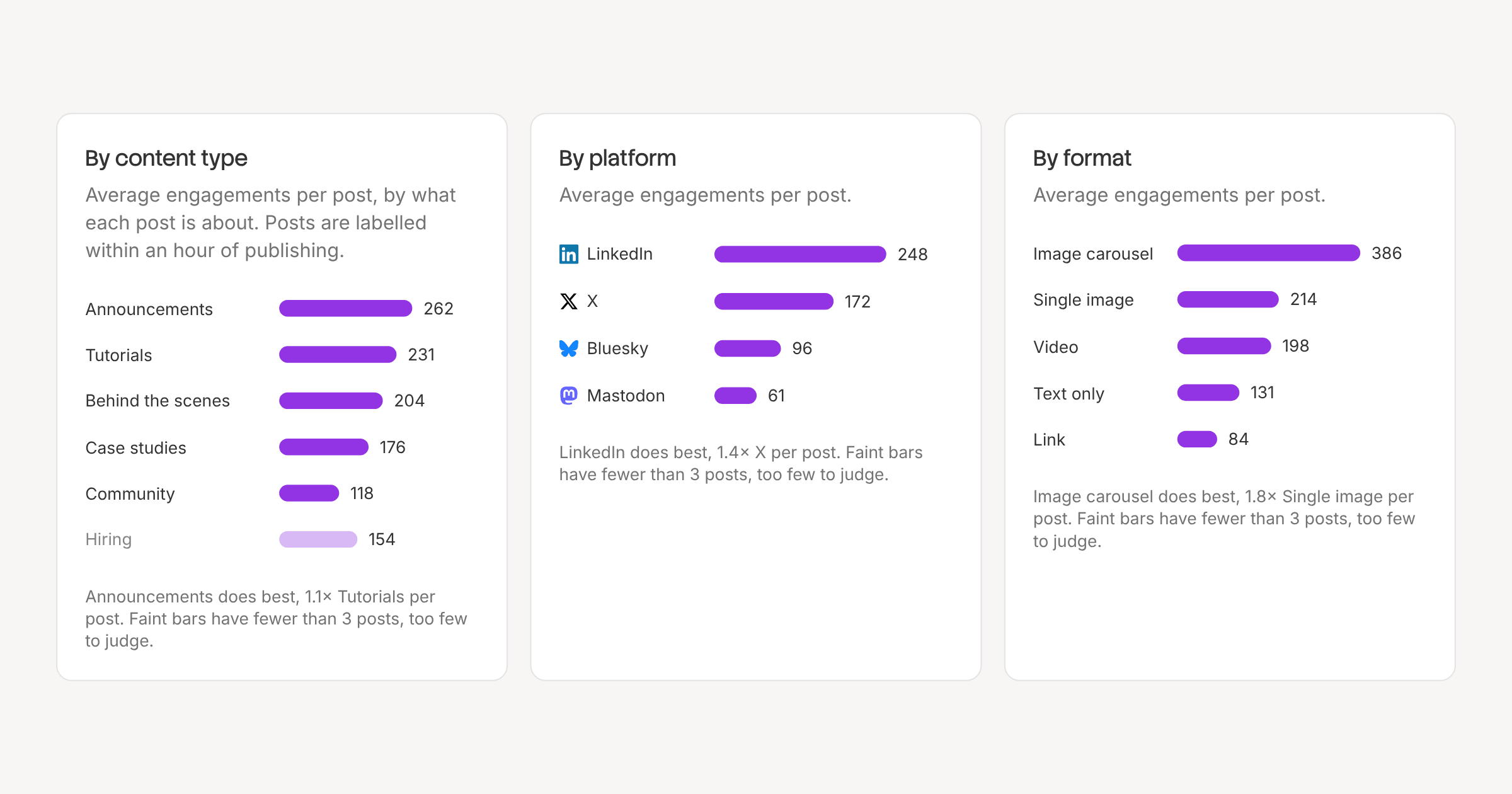
- Breakdowns by platform, format and content type, your best times to post, and your posting streak.
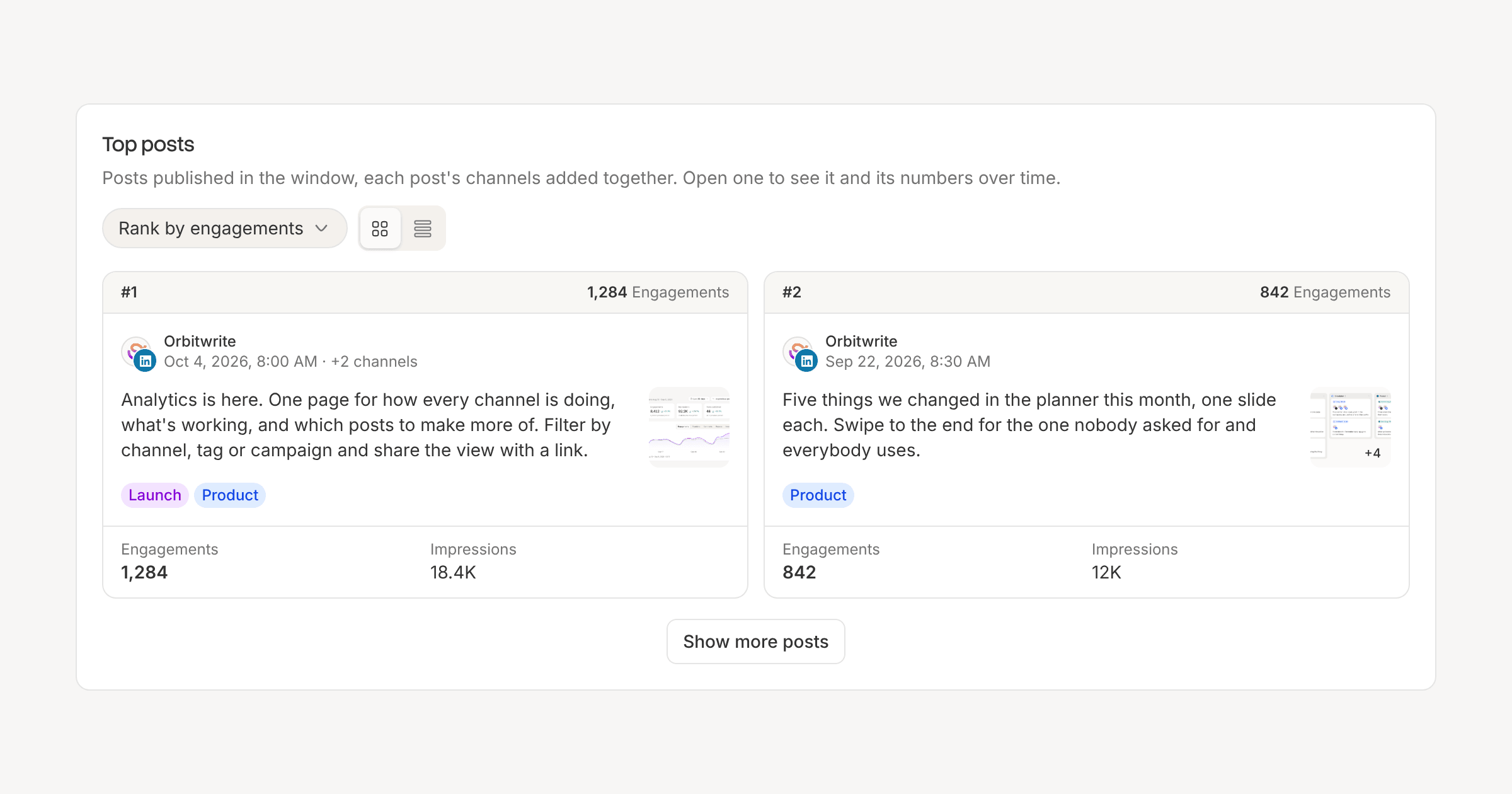
- Top posts, ranked by the metric you pick, each opening in place when you click it.
Filter by date range, channel, tag or campaign, and compare with the previous period or the same period last year. The filters live in the URL, so a view can be shared with a teammate.
Where the numbers come from
We read analytics from X, LinkedIn, Bluesky, Mastodon, Threads, Instagram, Facebook, YouTube and TikTok. Each post is re-read often on its first day, then daily, then weekly, for 90 days. Follower counts are read four times a day.
Bluesky and Mastodon don't report impressions, and YouTube, TikTok, Instagram and Threads count views, so those show as "Views". X is read five times over a post's first 30 days. LinkedIn profiles connected before this release need one reconnect before their numbers start coming in, and LinkedIn brings up to a year of follower history with it.
History by plan
Standard keeps 30 days of history and Pro and Advanced keep a year. Older numbers are never thrown away, and they come back when you upgrade.
Analytics are in the API, the SDK and the MCP server too, so you can ask Claude or ChatGPT what's working.